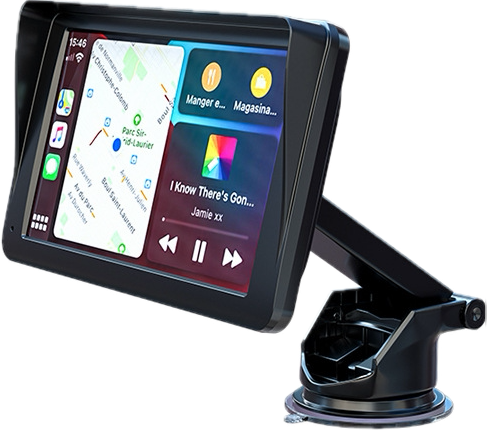
Upgrading the head unit in a Proton Saga (2019-2023 Premium models) with an aftermarket Android player usually leads to one common headache: How to keep the original factory reverse camera working seamlessly without cutting factory wires?
Here is a step-by-step technical guide based on verified audio installer practices.
The original Proton Saga reverse camera runs on a proprietary factory connector and requires a step-down voltage (usually 6V or specific trigger signals).
Do NOT splice the original camera wires directly!
Purchase a Saga OEM Android Harness with Camera In Adapter Socket. This harness converts the original multi-pin camera output into a standard Yellow RCA video plug + Reverse trigger wire.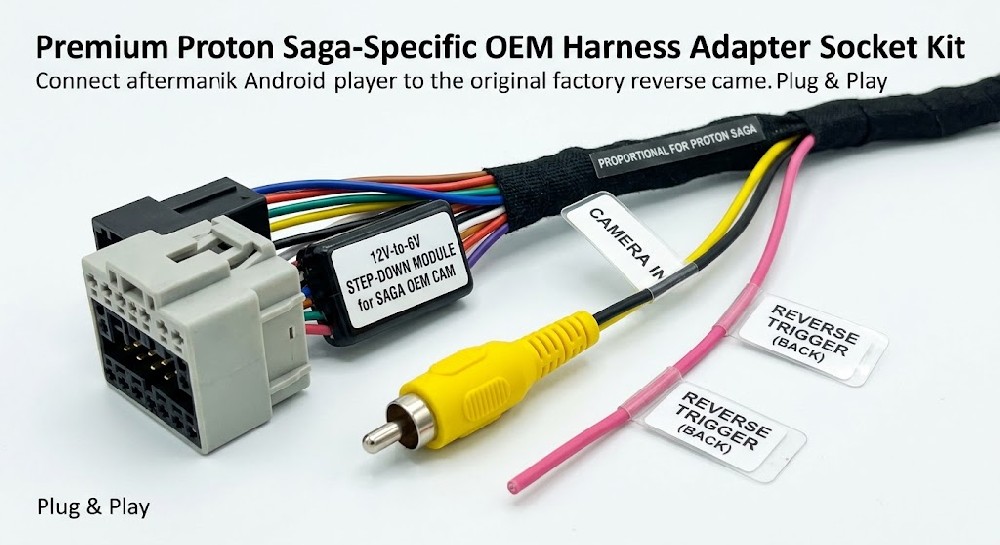
Video Signal:
Plug the Yellow RCA output from the Saga OEM harness into the RCA port labeled CAM-IN / BACK-VIDEO on the Android player's 10-pin/8-pin RCA cable bundle.
Reverse Trigger Line:
Connect the pink/brown trigger wire (labeled BACK or REVERSE) from the Android player's main power harness directly to the reverse trigger output of the OEM adapter harness. This feeds 12V to tell the Android player to immediately switch to full-screen camera view when shifted into Reverse.
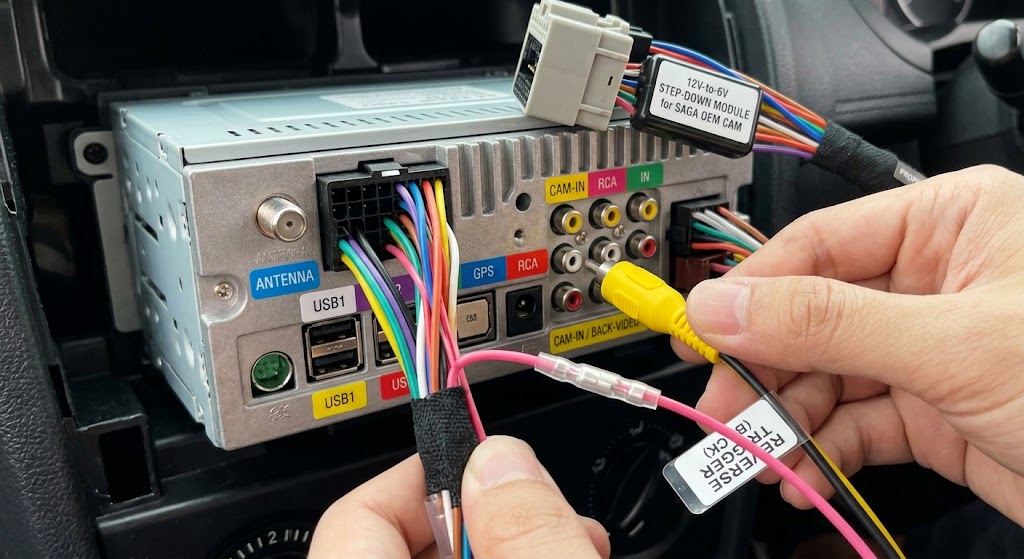
6V Step-Down Power: Most Saga OEM cameras operate on 6V power. The dedicated harness normally includes an inline 12V-to-6V step-down module. Ensure this step-down module is grounded correctly to prevent video noise/flicker.
Format Setting: If the screen shows black or no signal after wiring, go to Android Player Settings > Factory Settings (Password usually 8888 or 1612) > Reverse Camera / Reversing Port Settings, and switch the camera signal format (e.g., from AHD 1080P/720P to CVBS NTSC/PAL).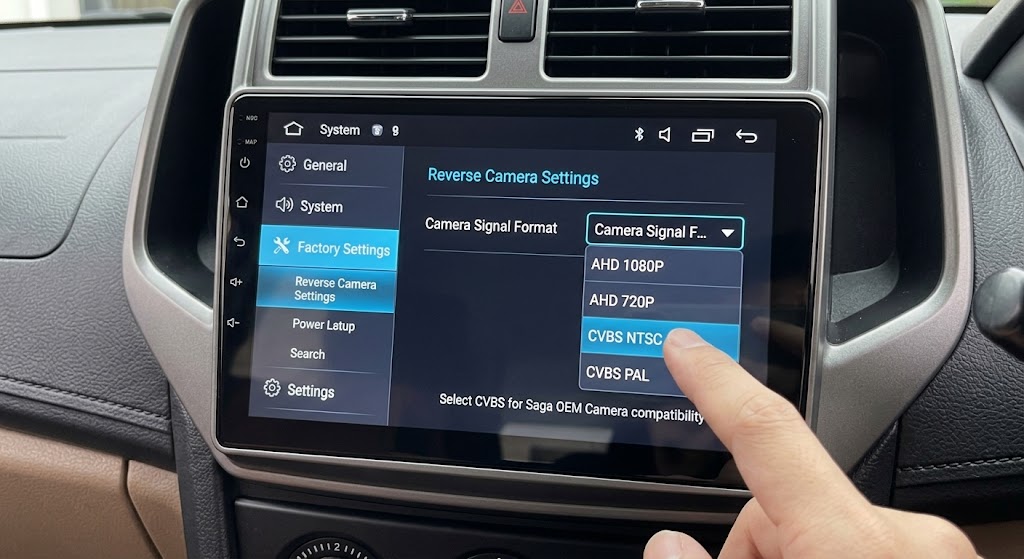
Summary Check:
Plug-and-play harness attached?
RCA plugged into CAM-IN?
Pink BACK wire hooked up?
Video format adjusted in Factory Settings?